}`. Pages perform file operations through the server; they do not access the main application's source or Node APIs directly.
## Page API Reference
The current host implementation and pinned SDK types define the supported behavior. Register event handlers before `connect()`, then read `getHostCapabilities()` after connecting and enable features based on the result. The official API documentation covers the full SDK; the tables below describe what this host supports.
### Official MCP Apps API
| API / event | Purpose | ZCode behavior and usage notes |
| --------------------------------------------------------------- | -------------------------------------------------------------------- | ----------------------------------------------------------------------------------------------------------------------------------------------------- |
| `new App(info, capabilities, options)`, `connect()` | Create the page connection and complete the handshake | Create one App per live page; do not also access `window.zcode`, which can trigger another connection |
| `getHostVersion()`, `getHostCapabilities()`, `getHostContext()` | Read host information, capabilities, theme, locale, and display mode | Use after connecting; do not infer capabilities from the host version alone |
| `ontoolinput`, `ontoolresult`, `ontoolcancelled` | Receive complete input, results, and cancellation | Retain the initial result for UIs that load later so they do not miss the notification |
| `onhostcontextchanged` | Respond to theme, locale, size, or mode changes | Update presentation without repeating application operations |
| `callServerTool({ name, arguments }, options)` | Call a tool on the current plugin server | Uses the Agent's permissions and approvals; supports cancellation through `options.signal`; returns the actual `CallToolResult` |
| `readServerResource({ uri })` | Read resources from the current server | Returns MCP `contents`, with binary data as base64; does not grant access to other plugins or arbitrary local files |
| `listServerResources({ cursor })` | List server resources with pagination | For resource templates, use the `resources/templates/list` request in the next table |
| `sendMessage({ role: "user", content })` | Send a follow-up message to the main conversation | Requires the `message` capability; sends with a user gesture and enters confirmation without one |
| `updateModelContext({ content, structuredContent })` | Attach a selection or other context to the next turn | Requires `updateModelContext`; context is visible and removable in the composer, does not immediately send a message, and is not persistent storage |
| `createSamplingMessage(params, { signal })` | Call the current task's model from the App | Requires `sampling`; accepts text and images within supported limits and returns text; the App supplies conversation history |
| `registerTool(name, config, handler)` | Expose page tools for model calls | Register before the handshake and declare the App's `tools` capability; tools are registered/revoked with the live page and follow existing approvals |
| `onlisttools`, `oncalltool`, `sendToolListChanged()` | Manage the page tool catalogue manually | An alternative way to implement page tools; the callback's cancellation signal is `extra.mcpReq?.signal`; Showcase has a complete example |
| `requestDisplayMode({ mode })` | Request a change of display location | `inline` is inline and `fullscreen` uses the side panel; use the returned mode; `pip` currently keeps the existing mode |
| `sendSizeChanged({ height })` | Report content height | SDK automatic measurement is available; for manual measurement, measure the content container to avoid feeding viewport height back to the host |
| `openLink({ url })` | Open an external link through the host | Allows only `http:` / `https:` |
| `downloadFile({ contents })` | Open a native save dialog | Requires `downloadFile`; accepts embedded resources or resource links from the current server; cancellation or write failure returns `isError: true` |
| `sendLog({ level, data })` | Send observable page diagnostics | Keep debug logs out of a stdio server's stdout; do not log secrets or user content |
| `onteardown` | Release page listeners and other resources | Host teardown has a time limit; do not leave the only save operation until teardown |
| `requestTeardown()` | Ask the host to release the page | ZCode currently only logs the request; actual lifecycle follows the card/panel, so this is not a close button |
Sampling uses the task model selected when the request is accepted. It does not read the main conversation history; only history explicitly supplied by the App enters the request. Unsupported parameters such as `temperature`, `tools`, and native audio are rejected, and `includeContext` only supports `none`. Responses and cancellations should not automatically be appended as main conversation turns.
### ZCode Extensions and Low-Level MCP Requests
The `app.request()` calls below use the official App's low-level interface. Validate results with the corresponding schema from `@modelcontextprotocol/core`.
| Interface / field | Request or declaration | Scope |
| ----------------------------- | ------------------------------------------------------------------------------------------------- | -------------------------------------------------------------------------------------------------------------------------------------------------------------------------------------------------------------------------- |
| Session view state | `ui/set-widget-state`, parameters `{ widgetState }`, result `EmptyResultSchema` | Check `experimental["zcode/widgetState"]` first; the initial value comes from the same key in hostContext. Stored in host memory only; can restore views within the session, with no guarantee across application restarts |
| Resource template list | `resources/templates/list`, result `ListResourceTemplatesResultSchema` | Lists the current server's MCP templates; do not assume the App has a `listServerResourceTemplates()` helper |
| Resource subscriptions | `resources/subscribe` / `resources/unsubscribe`, parameters `{ uri }`, result `EmptyResultSchema` | Check `experimental["zcode/resourceSubscribe"]` first; the server must also support subscriptions |
| Resource change notifications | `notifications/resources/updated` / `notifications/resources/list_changed` | Register handlers with `setNotificationHandler()` first; reread the resource when its URI is reported |
| Current side panel | `app.getHostCapabilities()?.experimental?.["zcode/surface"]` returns `{ id }` | Keep manifest `ui.surfaces[].id` aligned with tool `_meta.ui.surface` |
| CSP relaxation | `unsafeEval` and `wasmUnsafeEval` in resource `_meta["zcode/csp"]` | Check the support flags returned by `experimental["zcode/csp"]`; this does not grant file or network permissions |
### Existing `window.zcode` Pages
Existing compatibility pages can continue using these aliases. Prefer the official App for new pages, and use only one of the two connection approaches.
| Category | Available members |
| -------------------------- | ------------------------------------------------------------------------------------------------------------------------------------ |
| Connection and observation | `ready()`, `subscribe(listener)`; the latter returns an unsubscribe function |
| Input and host information | `toolInput`, `toolOutput`, `toolResponseMetadata`, `toolCancelled`, `hostInfo`, `hostCapabilities`, `hostContext`, `protocolVersion` |
| Display information | `theme`, `locale`, `displayMode`, `maxHeight`, `safeArea`, `userAgent` |
| Tools and resources | `callTool(name, args)`, `readResource(uri)`, `listResources()`, `listResourceTemplates()` |
| Resource subscriptions | `subscribeResource(uri)`, `unsubscribeResource(uri)`, `onResourceUpdated(listener)`, `onResourceListChanged(listener)` |
| Session view state | `widgetState`, `setWidgetState(state)` |
| Conversation collaboration | `sendFollowUpMessage({ prompt, structuredContent })`, `updateModelContext({ content, structuredContent })` |
| Display and files | `requestDisplayMode({ mode })`, `notifyIntrinsicHeight(height)`, `openExternal({ href })`, `downloadFile(contents)` |
The aliases do not provide sampling or page-tool helpers; use the official App for those capabilities. `openExternal` takes `href`, while the official `openLink` takes `url`; do not interchange these parameter names.
### Minimal Page Connection Example
Bundle this page code into the plugin HTML. It is not a script that can connect to the host from an ordinary browser tab.
```ts
import { App } from "@modelcontextprotocol/ext-apps";
import { EmptyResultSchema } from "@modelcontextprotocol/core";
const app = new App(
{ name: "my-panel", version: "0.1.0" },
{ availableDisplayModes: ["inline", "fullscreen"] },
);
let latestResult: unknown;
app.ontoolresult = (result) => {
latestResult = result.structuredContent;
document.querySelector("pre")!.textContent = JSON.stringify(latestResult);
};
function applyTheme() {
document.documentElement.dataset.theme = app.getHostContext()?.theme ?? "light";
}
app.onhostcontextchanged = applyTheme;
await app.connect();
applyTheme();
async function saveViewState(state: unknown) {
if (!app.getHostCapabilities()?.experimental?.["zcode/widgetState"]) return;
await app.request(
{ method: "ui/set-widget-state", params: { widgetState: state } },
EmptyResultSchema,
);
}
```
The page HTML must provide the `` element used in the example. Real components should consume any `latestResult` already received when they mount. This code only handles communication; document saving still goes through the plugin server.
## Platform, Data, and Capability Boundaries
| Data / capability | Where it belongs or how to use it |
| ----------------------------------------------------------- | ------------------------------------------------------------------------------------------------------------------------------------------------------------------------------ |
| Application documents, cleanup plans, and scene revisions | Owned by the plugin server; write files or databases to the plugin data directory and apply application-specific confirmation and recovery rules |
| Input, scroll position, and pending requests in a live page | Retained when the same page moves between inline and side panel views; do not reconnect or resend requests |
| `widgetState` | A temporary UI snapshot; recreation, manual retry, and process restart have different semantics, so do not promise permanent storage |
| localStorage / IndexedDB | Browser storage under a stable origin can survive process restarts; isolated by plugin identity, workspace, and account. Clearing browser data does not clear plugin documents |
| Network, fonts, WASM, and scripts | Prefer bundling resources; external access is constrained by resource CSP. Pages have no Node or arbitrary filesystem access |
| Native permissions | camera / microphone / geolocation / clipboardWrite require resource declarations and host/system authorization; they are not available by default |
HTML resources currently have a **16 MiB** limit, and page resource reads have an **8 MiB** limit; split large pages into resources. Initial tool results also have limits: `structuredContent` 64 KiB, page metadata 16 KiB, and `content` 32 KiB. Oversized fields are omitted and marked; the page should reread complete data from the server.
**Not yet implemented:** full message-content extensions for image-only/resource-link messages, and bidirectional App tool progress (Showcase SC51/SC52). Existing text-with-image messages, resource reads, and model tool row progress do not establish full support for those capabilities.
See the [MCP Apps API](https://apps.extensions.modelcontextprotocol.io/api/) and [Quickstart](https://apps.extensions.modelcontextprotocol.io/api/documents/quickstart.html) for official SDK concepts and interfaces. Host behavior is determined by the current source covered by this guide and actual capability negotiation; this guide does not promise compatibility with a particular released version.
## Host Source Navigation
| Area to inspect | Current source entry point |
| ------------------------------------------------ | --------------------------------------------------------------------------------------------------------------------------------------------------------------------------------------------------- |
| Capability declarations | [buildPluginUiHostCapabilities.ts](packages/ui/src/plugin-ui/domain/buildPluginUiHostCapabilities.ts) |
| Session messages, context, and widgetState | [pluginUiInteractionPorts.ts](packages/ui/src/plugin-ui/app/pluginUiInteractionPorts.ts) |
| Tools, external links, and display modes | [pluginUiHostAppHandlers.ts](packages/ui/src/plugin-ui/app/pluginUiHostAppHandlers.ts) |
| Resource subscriptions | [pluginUiResourceSubscriptions.ts](packages/ui/src/plugin-ui/app/pluginUiResourceSubscriptions.ts) |
| Page retention, eviction, and restoration | [plugin-ui/CONTRACT.md](packages/ui/src/plugin-ui/CONTRACT.md) |
| HTML, resources, and the Host boundary | [plugin-ui-bridge/CONTRACT.md](packages/services/src/plugin-ui-bridge/CONTRACT.md) |
| Electron sandbox and browser storage | [pluginSandbox/CONTRACT.md](packages/desktop/src/main/pluginSandbox/CONTRACT.md) |
| API limits, sampling parameters, and alias types | [MCP Apps contract](packages/shared/src/mcp-apps/contract.ts), [sampling.ts](packages/shared/src/mcp-apps/sampling.ts), [aliasApi.ts](packages/desktop/src/renderer/src/plugin-sandbox/aliasApi.ts) |
| Desktop integration tests | [mcp-apps-host-e2e.mjs](packages/desktop/scripts/mcp-apps-host-e2e.mjs) |
The five plugins' application source lives in the separate `zcode-plugins` repository, which also provides a root `UI_PLUGIN.en.md`. This repository owns the host and does not copy plugin products into its tree. When host APIs change, update the capability and API tables in both repositories and both languages.
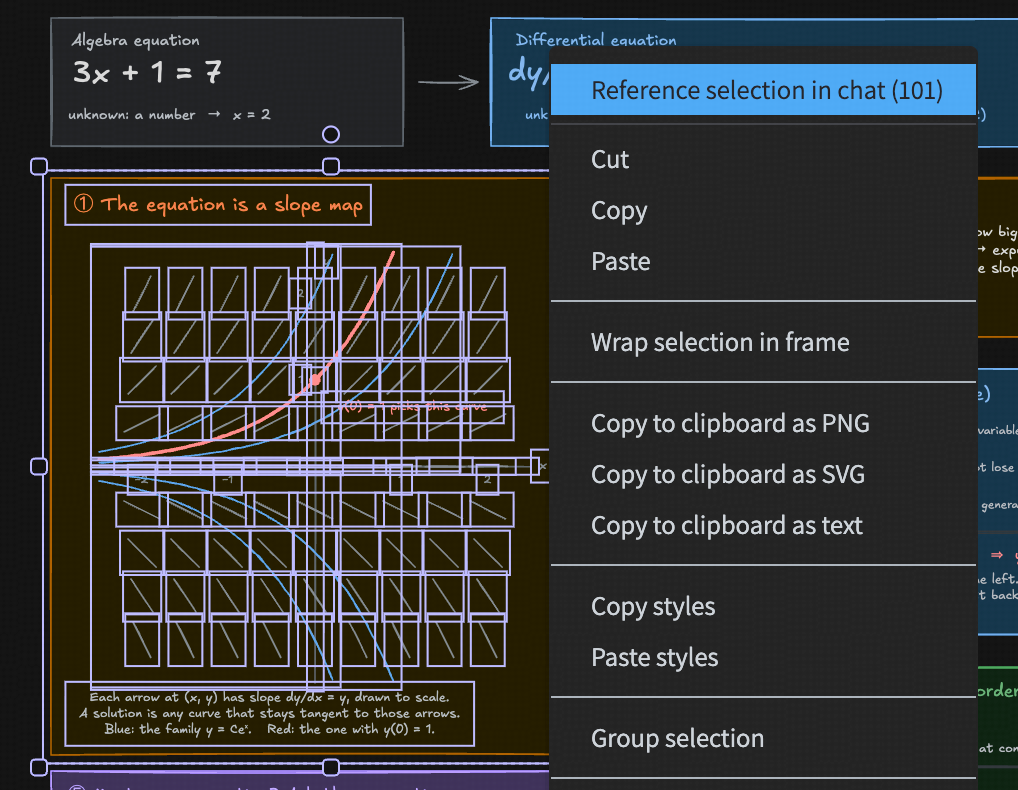 **3. Ask a follow-up with the selected context**
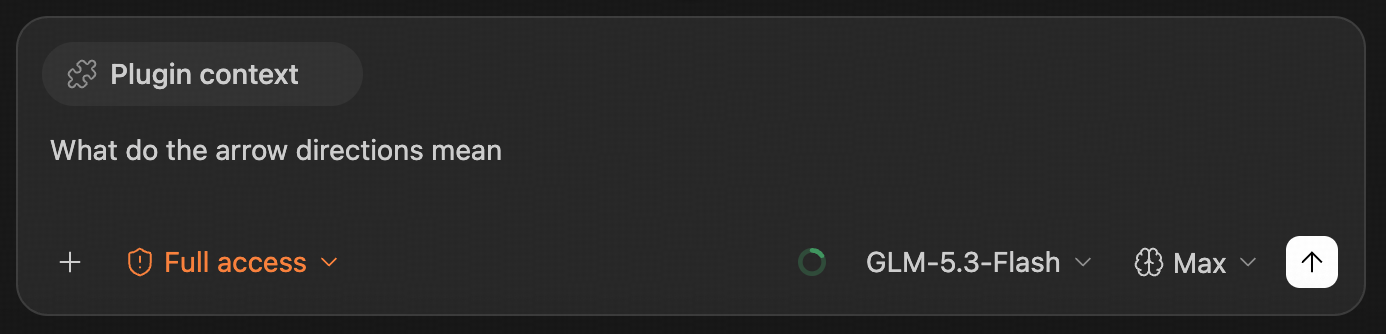
Once **Plugin context** appears in the composer, type "What does the direction of the arrows mean?" and send the message. Referencing a selection first adds pending context; when the user sends the question, the Agent receives both the question and the selection information to identify the relevant part of the canvas.
 ### Five-Minute Demo
After installing and enabling `excalidraw`, open a new session in a local desktop workspace:
1. Ask: "Use Excalidraw to draw an architecture diagram with an API, a cache, and a database. Show the request direction." The model calls `create_diagram`, and an editable canvas opens in the side panel.
2. Move nodes or change their colors and text, then wait for the page to show that the document is saved. This means the backend has confirmed the save.
3. Select the cache node, open its context menu, and choose the action to reference the selection in the conversation. Ask: "Replace the selected cache with two nodes, keeping the rest of the layout." With no elements selected, you can reference the entire diagram.
4. The Agent uses `read_scene` to get the latest version, then calls `apply_operations` with stable element IDs without redrawing the whole canvas. User edits and tool edits share the current page's undo/redo history.
5. Click the canvas title to switch or import documents. Use the export action to save `.excalidraw`, PNG, or SVG files to the workspace. Overwriting an existing file requires an explicit overwrite choice.
```mermaid
sequenceDiagram
participant U as User / canvas
participant A as Agent
participant S as Plugin MCP server and document store
A->>S: create_diagram
S-->>U: Document ID, revision, and page
U->>S: commit_scene (manual edits)
S-->>U: Save confirmation and new revision
U->>A: Selection reference + requested changes
A->>S: read_scene → apply_operations
S-->>U: Latest document
U->>S: Export to workspace
```
### Excalidraw Tools
These are the plugin's own MCP tools, separate from the general page APIs described later. App-only tools are not exposed in the model's tool list.
| Tool | Caller | Purpose and key parameters |
| ------------------ | ---------- | ---------------------------------------------------------------------------------------------------------- |
| `create_diagram` | Model, App | Create a canvas with `title` and `elements`; returns the document ID and revision |
| `open_diagram` | Model, App | Open a saved document by `id`, or import a workspace `.excalidraw` file by `path`; supply one or the other |
| `read_scene` | Model, App | Read the current revision and element summaries; use `elementIds` to restrict the selection |
| `apply_operations` | Model, App | Add, update, or remove elements by ID; supply `expectedRevision` and `operationId` |
| `export_diagram` | Model, App | Export a native `.excalidraw` file with revision checking; overwriting requires `overwrite: true` |
| `commit_scene` | App only | Submit the full editing draft with revision conflict checking |
| `list_diagrams` | App only | List documents in the current workspace |
| `save_copy` | App only | Save a draft or imported content as a new document |
| `save_image` | App only | Write a PNG or SVG rendered by the page to the workspace |
Documents are stored in SQLite inside the plugin data directory and isolated by workspace. A revision conflict preserves the page's draft so the user can save a copy or reload. Retries of the same operation reuse its `operationId`. `widgetState` stores view information only; it cannot replace the document store.
Each document currently supports up to 5,000 elements and 6 MiB. The editor and fonts ship with the plugin and do not depend on a CDN. Undo history belongs to the current live editor and does not survive application restarts. Real-time multi-user collaboration, system clipboard access, and cloud sharing are not currently provided.
## Gen UI: Interactive Answers Generated on Demand
Gen UI (generative UI) lets the Agent create an HTML / JavaScript page for the current question and embed it directly in the conversation. Move sliders, switch conditions, select items, and observe the results, then ask a follow-up with the current parameters. Each page is generated on demand without first creating and installing a plugin for it.
### Gen UI in Pictures
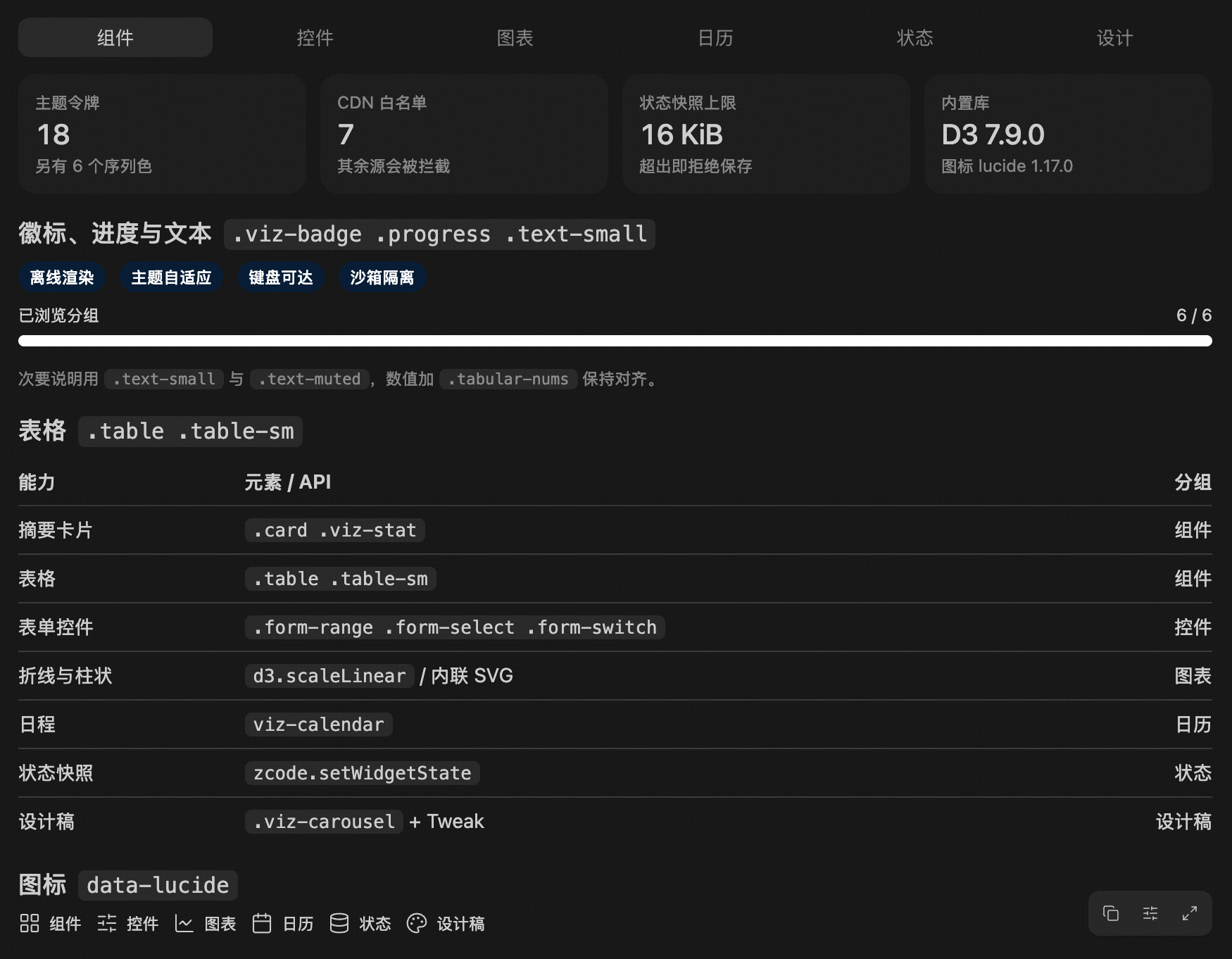
These screenshots show a generated capability demo in Chinese. Its tabs and content illustrate how a page can be built; they are not fixed application screens. Click an image to view it at full size.
| Components and content | Controls and calculations |
| -------------------------------------------------------------------------------------------------------------------------------------------------------------------------------------------------------- | -------------------------------------------------------------------------------------------------------------------------------------------------------------------------------------------------------- |
|
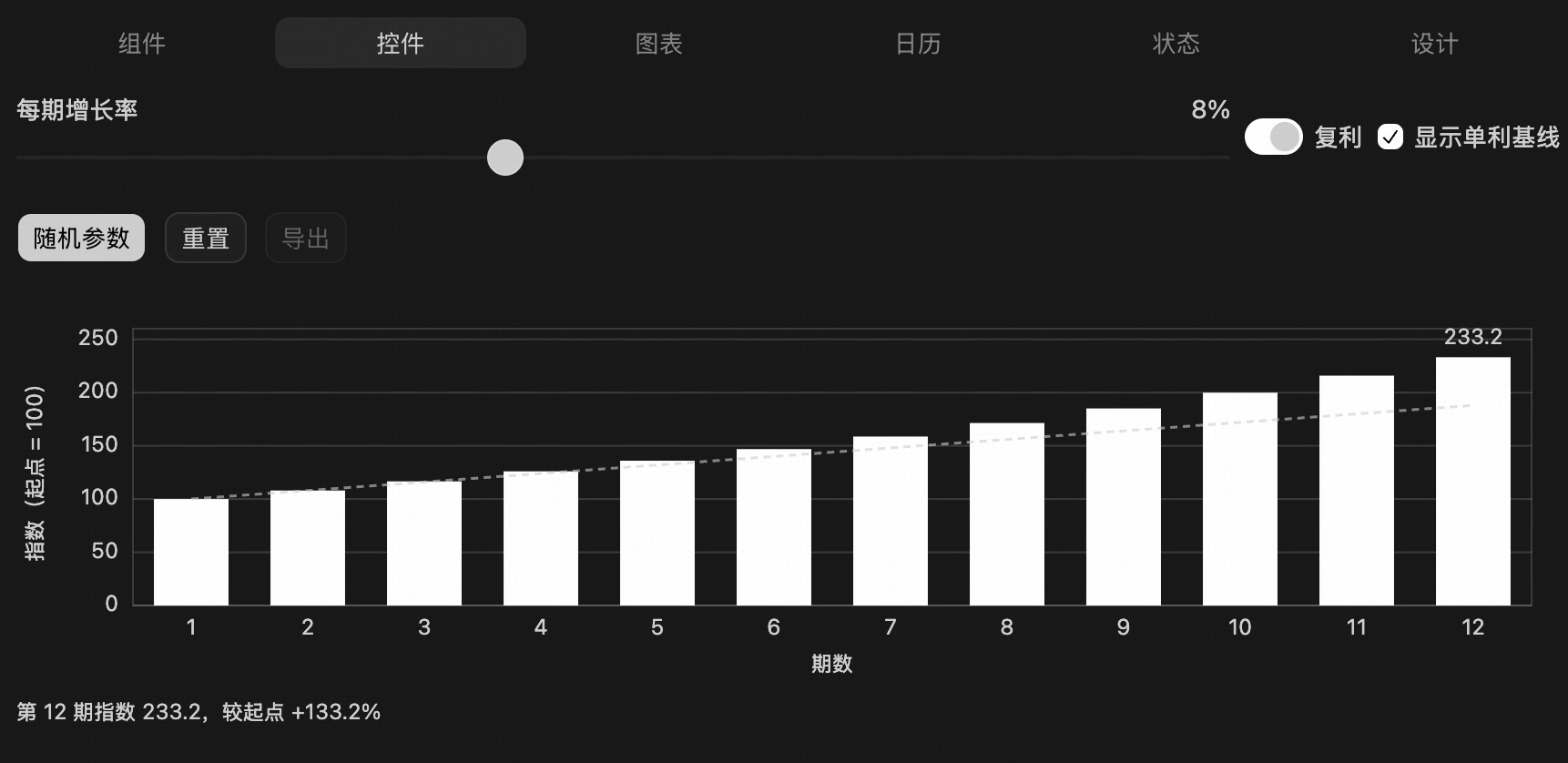 |
| Organize an answer into a browsable panel with summary cards, progress, tables, and icons. | Compare calculated results by changing the growth rate, compound-growth toggle, and baseline option. |
| Charts and comparisons | Calendar and schedule |
| -------------------------------------------------------------------------------------------------------------------------------------------------------------------------------- | ------------------------------------------------------------------------------------------------------------------------------------------------------------------------------------------------- |
|
 |
 |
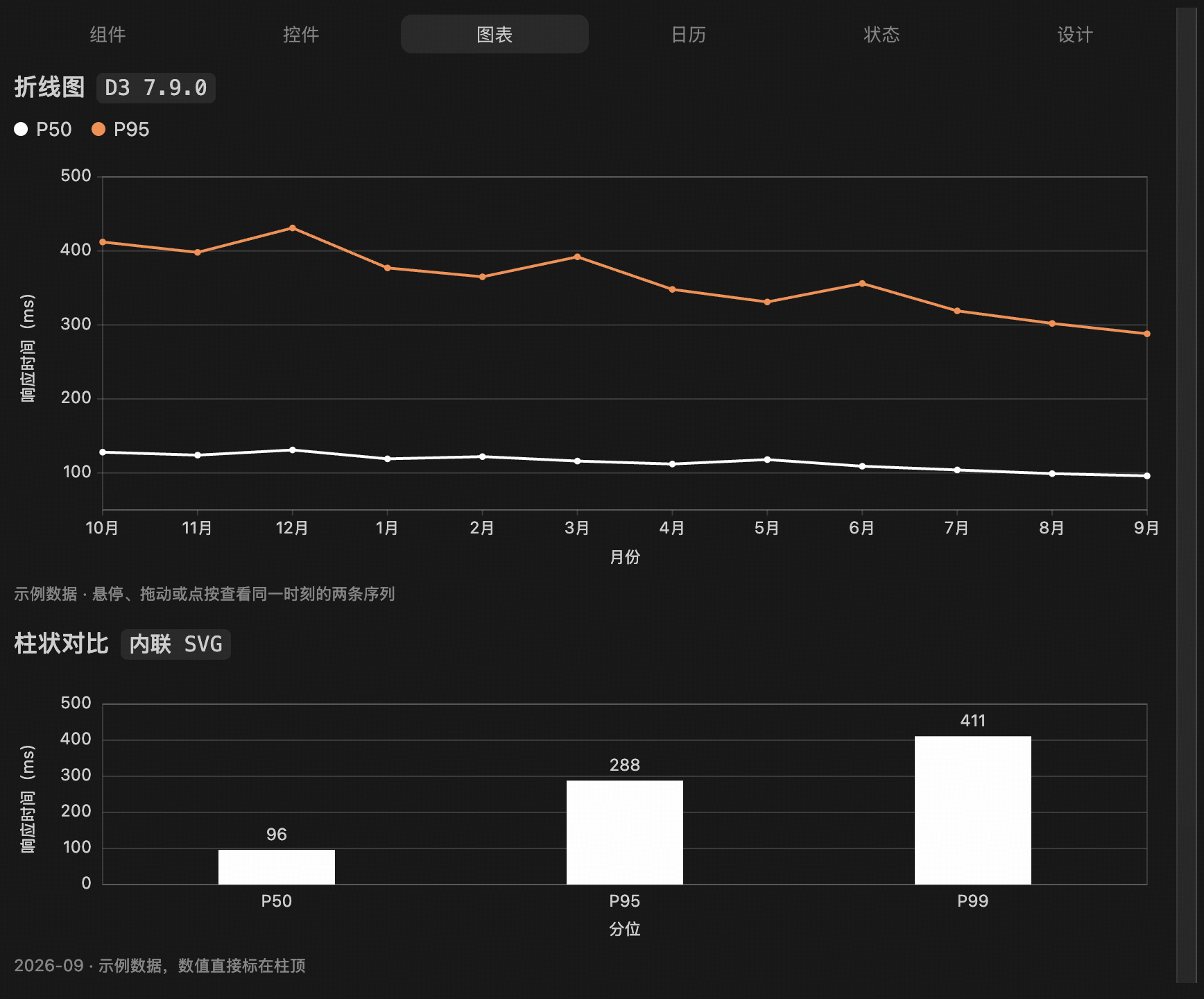
| Compare P50 / P95 trends with lines and percentiles with bars. The charts use example data. | `viz-calendar` lays out events by time and supports viewing their details. This is a schedule demo within the page. |
| State and follow-ups | Design previews and adjustments |
| ----------------------------------------------------------------------------------------------------------------------------------------------------------------------------------------------------------- | ---------------------------------------------------------------------------------------------------------------------------------------------------------------------------------------------- |
|
 |
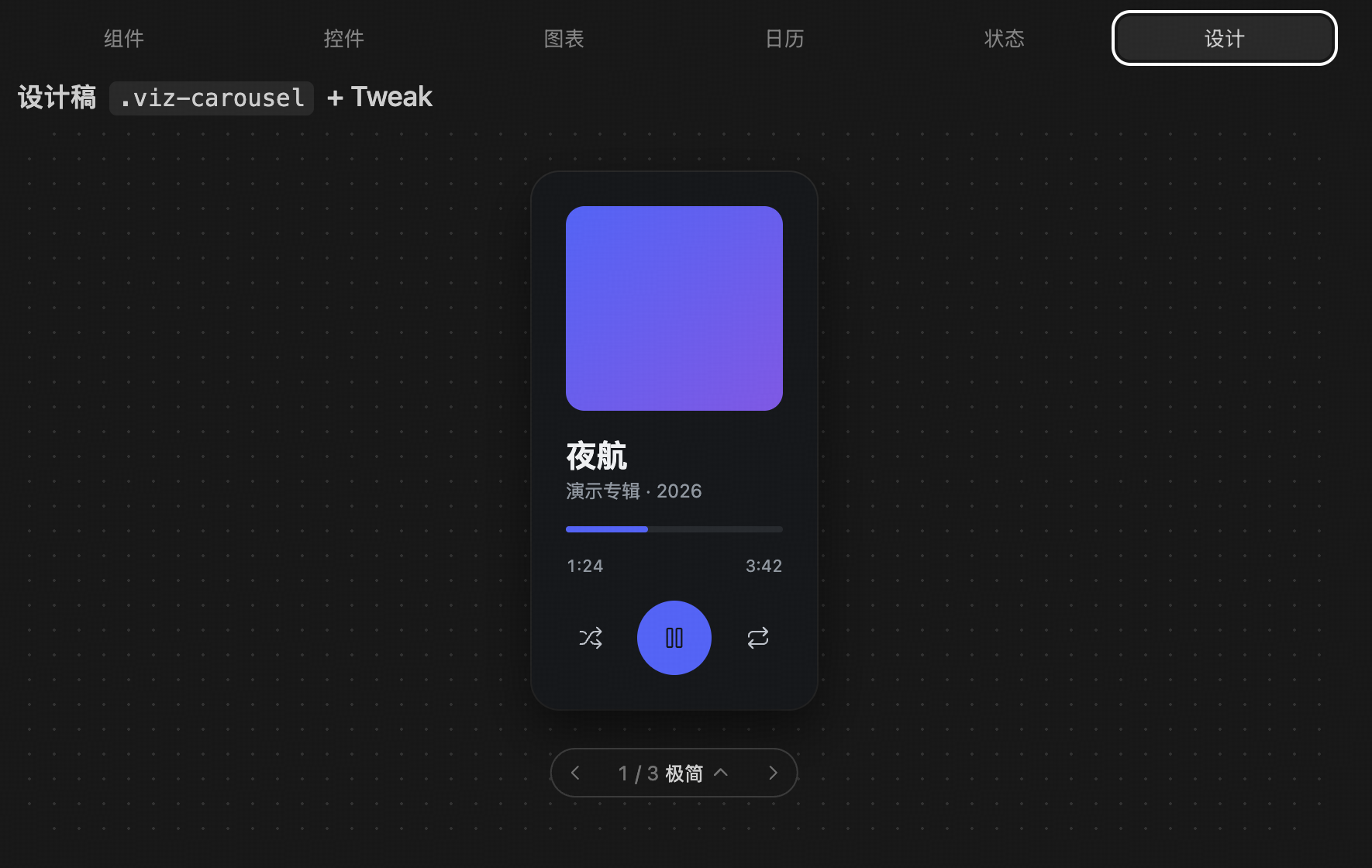 |
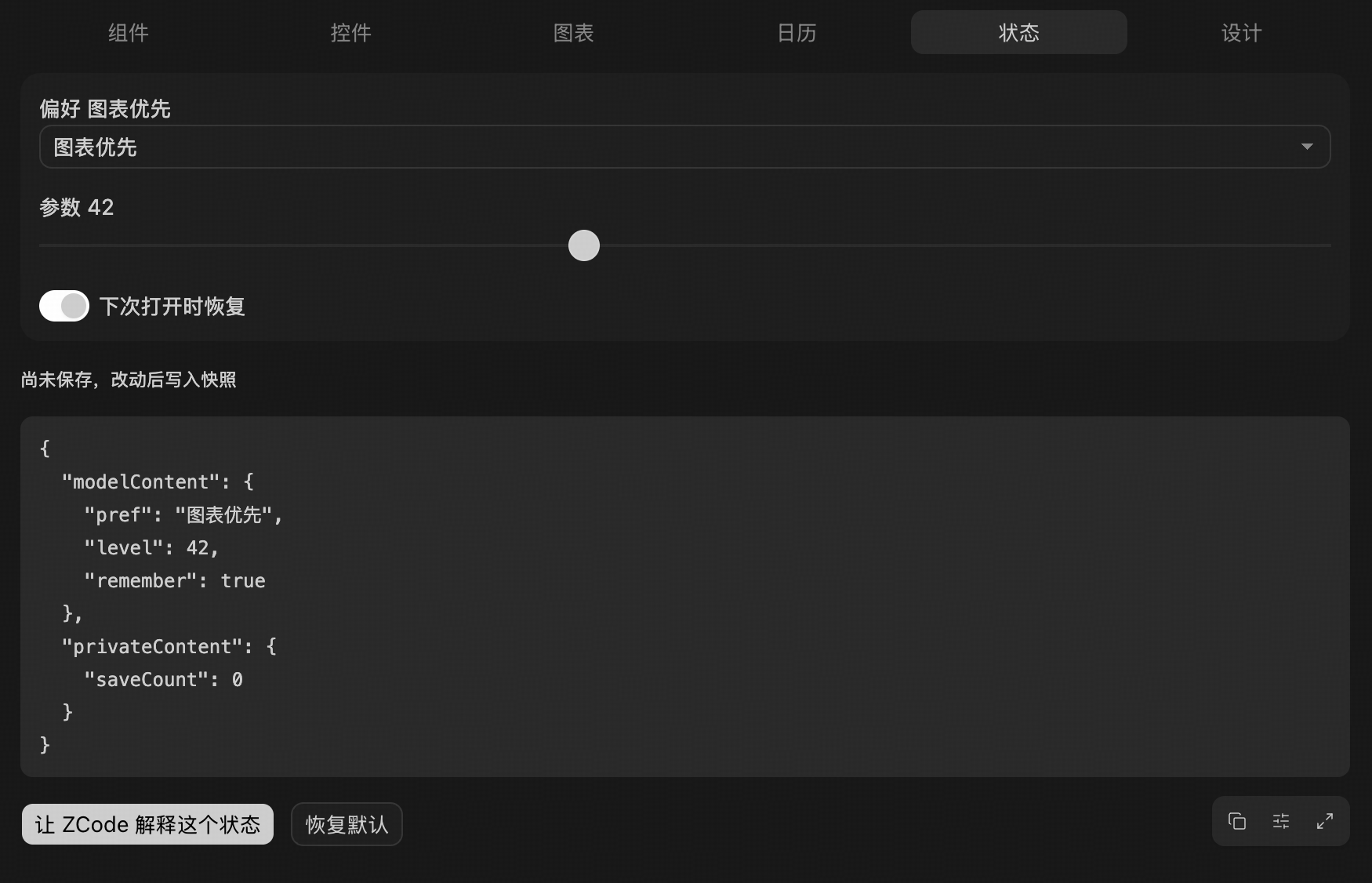
| Organize preferences and parameters into a `modelContent` / `privateContent` snapshot. The view shows unsaved state; the page can save it and provide a button to ask a follow-up. | Use `viz-carousel` to compare player designs and Tweak to adjust styles. This is a UI prototype. |
In a ZCode Desktop session that supports Gen UI, try requests like these. The Agent generates the controls and interactions for the task:
| Scenario | Example prompt | How to interact |
| -------------------- | ------------------------------------------------------------------------------------------------------------------------------------------------ | ----------------------------------------------------------------------------------------------- |
| Understand a concept | "Use Gen UI to explain sine waves. Let me adjust amplitude and frequency with sliders and watch the curve change." | Adjust parameters and compare curves to understand how variables relate |
| Explore an algorithm | "Use Gen UI to demonstrate binary search, with a target input, single-step execution, and the current search range highlighted." | Change the input, step forward, and reset to inspect each stage |
| Refine a design | "Use Gen UI to create a course card with Tweak controls for corner radius, colors, and layout density, then refine it using my chosen settings." | Preview style changes immediately, then explicitly submit adjustments for the Agent to continue |
```mermaid
flowchart LR
A[User asks a question] --> B[Agent generates an HTML page]
B --> C[Desktop displays it in the conversation]
C --> D[User adjusts controls and saves state]
D --> E[User explicitly sends a follow-up]
E --> F[Agent answers with the current parameters]
```
### Capabilities and Page Interfaces
| Capability | Current behavior |
| ----------------------------------- | ---------------------------------------------------------------------------------------------------------------------------------------------------- |
| Interaction inside the conversation | Pages appear after the answer completes and can contain charts, forms, simulators, and lightweight prototypes |
| Expand and share | Expand or collapse the preview and copy the current view as an image; expanding and collapsing retain the same live page |
| State and follow-ups | Pages can save control state and send a follow-up after user interaction; changing controls or saving state alone does not start an Agent turn |
| Tweak controls | When a page registers controls, the host provides sliders, colors, toggles, and choices, with reset, original-state preview, and explicit submission |
Generated pages use the Gen UI interface injected by the host:
| Interface | Purpose |
| --------------------------------------------------------------- | ----------------------------------------------------------------------------------------------------------------------------------------- |
| `window.zcode.widgetState` | Read saved page state; the initial value may be `null` |
| `window.zcode.setWidgetState({ modelContent, privateContent })` | Replace the entire JSON state snapshot, up to 16 KiB combined; only `modelContent` enters the next model context |
| `window.zcode.sendFollowUpMessage({ prompt, title })` | Send a follow-up; `title` is optional. Confirmation is required without a valid user gesture, and stale or read-only sessions cannot send |
| `zcode:set_globals` | Listen for state or theme updates and read the new values from the event's `detail.globals` |
The desktop host supplies the Agent with a dedicated output directory for the current session. Generated HTML is saved there and loaded by the host, outside the project workspace; page state is isolated by workspace and session. The host injects the page bridge, so authors do not create another MCP Apps connection. Gen UI pages do not expose `callTool`, MCP resource reads, Node, or arbitrary file access. Use a UI Plugin when operations need a plugin server.
### Choosing Between Gen UI and UI Plugins
| Aspect | Gen UI | UI Plugin |
| ----------------- | ---------------------------------------------------------------------------------------------- | ----------------------------------------------------------------------------------- |
| Origin | The Agent generates a page for the current question | Developers maintain and publish a plugin that users install and enable |
| Best fit | Concept explanations, interactive charts, simulators, temporary calculators, and UI prototypes | Reusable editors, file tools, and applications with business data |
| Page capabilities | Gen UI state, follow-up, and Tweak interfaces | MCP Apps APIs plus plugin MCP tools and resources, within host support |
| Data ownership | The host manages generated files and session page state | The plugin server manages application files or databases; the page manages its view |
The Excalidraw screenshots above show a **UI Plugin**. Use **Gen UI** for a page with adjustable parameters generated around the current question. Develop a UI Plugin to distribute a reusable tool with server operations and document management. Both may expose `window.zcode`, but their methods and state structures differ and are not interchangeable. See [Development and Debugging](#development-and-debugging) and the [Page API Reference](#page-api-reference) for UI Plugin details.
Implementation and page examples: [Gen UI contract](packages/ui/src/gen-ui/CONTRACT.md), [page API examples](apps/zcode-cli/packages/visualize-plugin/skills/visualize/references/api.md), and [Tweak guide](apps/zcode-cli/packages/visualize-plugin/skills/visualize/tweak.md). The desktop integration entry is `node packages/desktop/scripts/gen-ui-e2e.mjs`.
## Other Example Plugins
| Plugin | Features and demo prompt | What to learn from it | Current boundaries |
| ------------------------------- | ------------------------------------------------------------- | ------------------------------------------------------------------------------------------------------------- | ------------------------------------------------------------------------------------------------------------------------------------------------------------ |
| **Excalidraw** `excalidraw` | "Draw a system architecture diagram, then modify a selection" | Canvas editing, autosave, targeted changes, context references, and export; start here for a complete example | Local workspaces; persistent documents are separate from temporary view state |
| **OpenPencil** `openpencil` | "Create designs/landing.fig and add a hero section" | `.fig` design documents, design tools, selection references, and generating code from designs | One live editor per workspace; `.pen` imports are read-only; exports go to `exports/` |
| **Blender** `blender` | "Create a Blender scene, add objects, and render a preview" | `.blend` scenes, 3D previews, materials, cameras, lights, and render resources | Real operations require the Blender engine; the fake engine is for tests only |
| **Disk Cleaner** `disk-cleaner` | "Find large files taking up space in Downloads" | Read-only scans, pagination and filters, candidate selection, plan confirmation, and execution feedback | Cleanup tools are App-only; confirmed actions move files to Trash and do not permanently delete them |
| **Showcase** `showcase` | "Demonstrate all Showcase cases" | SC01–SC53 catalogue: resources, messages, state, sampling, page tools, and failure scenarios | Cases are classified as directly interactive, assisted, automation-only, or pending; 53 entries do not mean all 53 are implemented or automatically verified |
## Development and Debugging
### Responsibilities of the Two Repositories
| Repository | Branch | What to change | Where to run or find it |
| ----------------------------------------------------------------- | ---------------- | ------------------------------------------------------------------------------ | ------------------------------------------------------------------------- |
| [zai-org/ZCode](https://github.com/zai-org/ZCode) | `feat/ui-plugin` | Host protocol, side panels and inline views, sandbox, approvals, and lifecycle | `pnpm dev:desktop` |
| [zai-org/zcode-plugins](https://github.com/zai-org/zcode-plugins) | `feat/ui-plugin` | Plugin manifests, MCP servers, pages, application data, and resource packaging | Sources in `ui-plugins/